
Introduction
A Kitchen Display System (KDS) has become a core part of modern kitchen operations. It manages and displays orders in real time, helping kitchen staff prioritize and execute tasks efficiently. In fast-paced environments like QSRs and cloud kitchens, a KDS brings structure, speed, and visibility to order management.
At the same time, printers continue to play a critical role in kitchen workflows. Receipt printers handle order confirmations, label printers are used for packaging and delivery identification, and kitchen chit printers assist in station-level execution.
While many see KDS as a replacement for printers, the reality is different. Printers are still essential because they provide something digital screens cannot, a physical layer of execution.
This is where the real efficiency comes in.
Instead of treating them as separate tools, the most effective kitchen setups use printers as an extension of the KDS. When combined, they create a system that is not only fast and organized but also highly reliable during peak operations.
The Problem with Using Only a KDS or Only Printers
Limitations of KDS Alone
A KDS brings visibility, but it lacks physical output. In real kitchen scenarios, especially during dispatch and packaging, this creates gaps.
Without printed labels or tickets:
- Orders can get mixed up during packing
- Staff may need to repeatedly check screens
- There is no easy way to tag or identify items once they leave the prep area
This becomes a major challenge in delivery-heavy operations.
Limitations of Printers Alone
Printers, on their own, rely heavily on manual coordination.
- Staff must interpret printed tickets without real-time updates
- There is no centralized view of order status
- Missed or delayed orders become more common
Without a KDS, kitchens often struggle with synchronization and workflow clarity.
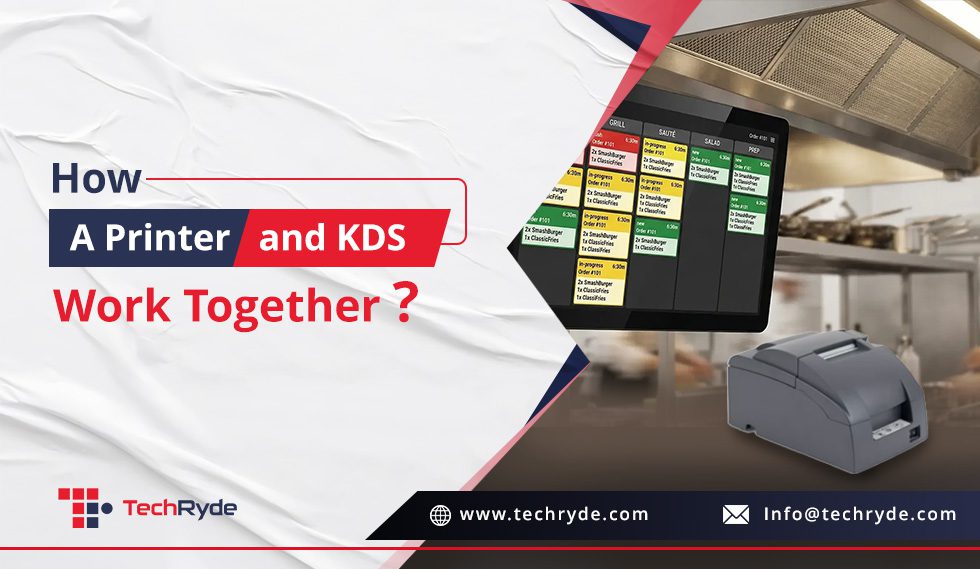
How a Printer and KDS Work Together?
KDS as the Command Center
The KDS acts as the central system where all orders are received, organized, and prioritized. It gives kitchen staff a clear, real-time view of what needs to be prepared and when.
Printers as Execution Extensions
Printers take instructions from the KDS and convert them into physical outputs.
- Labels are printed for packaging
- Receipts are generated for order tracking
- Tickets can be printed for specific stations if needed
This happens automatically, without manual intervention, ensuring that every order is supported by both digital and physical tracking
Real-Time Sync Between Display and Print
The key to efficiency is synchronization.
As soon as an order is processed in the KDS, the relevant printer is triggered. This ensures that what appears on the screen is instantly reflected in printed form.
There is no duplication of effort and no need for manual coordination between systems.
Why Printers Are an Extension of the KDS?
Printers are not separate from the system. They complete it.
A KDS handles digital order management, but kitchens still operate in a physical environment. Packaging, labeling, and dispatch all require tangible outputs.
Printers bridge this gap by turning digital instructions into physical identifiers.
This is especially important for:
- Delivery orders that require clear labeling
- Multi-item orders that need sorting and grouping
- High-volume kitchens where speed and accuracy are critical
In this sense, printers function as a direct extension of the KDS, enabling it to operate effectively in real-world conditions.
Key Benefits of Using KDS with Printers Together
Improved Order Accuracy: Combining digital displays with printed labels creates a double layer of verification, reducing the chances of errors.
Faster Kitchen Operations: Staff do not need to rely on verbal communication or repeated screen checks. Information flows clearly through both digital and physical channels.
Better Packaging and Dispatch Management: Printed labels make it easy to identify and organize orders, especially during peak hours or delivery rushes.
Reduced Human Error: Automation ensures that orders are processed, displayed, and printed without manual steps, minimizing mistakes.
Real-World Use Cases
1. QSRs and High-Volume Kitchens
Speed and consistency are critical. The combination of KDS and printers ensures that orders move quickly from preparation to dispatch without confusion.
2. Cloud Kitchens
With a heavy focus on delivery, clear labeling, and accurate order handling are essential. Printers play a key role in ensuring smooth dispatch operations.
3. Multi-Station Kitchens
Different stations can receive printed instructions while staying aligned with the central KDS, improving coordination across the kitchen.
Best Practices for Setting Up KDS + Printers
To get the most out of this setup:
- Assign printers to specific stations based on workflow
- Use label printers for delivery and takeaway orders
- Ensure seamless integration between KDS and printers
- Standardize label and ticket formats for consistency
A well-planned setup ensures that both systems work together without friction.
Takeaway
A KDS brings speed and visibility to kitchen operations, while printers bring clarity and execution. On their own, each has limitations. Together, they create a complete and reliable system.
By treating printers as an extension of the KDS, kitchens can bridge the gap between digital order management and physical execution. This leads to better accuracy, faster operations, and smoother workflows.
In modern kitchens, efficiency is not just about going digital. It is about building systems that work seamlessly across both digital and physical layers.
Want to learn more or need help, let us know!